Productive Strategies for Using Information Streams in Development

nullJon Thompson pointed me to a very interesting social media project at the World Food Programme, CipCip. Here is a brief bit about it.
The Life of a Project Called “Deliver”: CipCip: It is not what you do, but who you do it with
Long gone are the times where you put a knowledgeable person somewhere and she or he could do the job. Our work has become so complex, time-critical and crucial to saving lives that “collaboration” with others has become a must. Not only with external parties like donors, government counterparts and other NGOs/UN agencies but also internally within the organisation.

“Information” is a key part of the collaboration. Accessing and sharing information a must.

And data is everywhere. From corporate servers, to Access databases in field offices, to Excel spreadsheets somewhere on individual computers. There is not one bit of information that exists, which is not in a digital form, apart from the feeling of the sand between your toes on a romantic summer evening.

The data exists. But is hardly made accessible let alone shared.

With the DELIVER project we aim to make the information, essential for moving 4.7 million tons of food annually, available to all those who need it. And more.

One of the key goals of DELIVER is the collection, analysis, storage and dispatch of time critical information, generated by systems, people or by public sources.

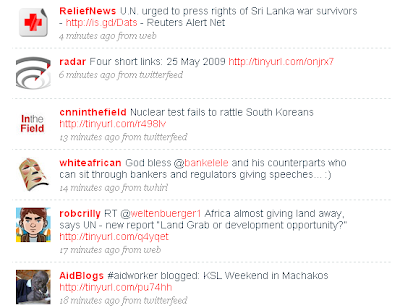
This is a cool project and reminds me of some other efforts that are swirling around as people in NGOs/NPOs seek to understand a strategic application of social media. Look at the cool work that Tracker is doing. There is this liberating idea that no one organization or person is the central source of information. They key is capturing useful information into a flow, then use the intelligence of the associated community to pull out key stuff and connections with people who can tell more or act on the ‘stuff.’

We talk about overwhelm. It is reality now. So schemes to swim productively in the overwhelm in a strategic matter should be our focus.

What is your scheme? (Or is that the wrong word?) 😉

Update: Digital Habitats Presentation Recording

Thanks to Jeff Lebow, there is a recording, synched to my slides, of Friday’s presentation as part of Webheads in Action Online unConvergence. Sweet! I have also copied in the text with some of the slides below. I also learned the slide set on Slideshare was featured today! Fun!

Notes:

  • Slide 5 : These roles and practices create the conditions that enable people to….
  • Slide 6: This activity comes out of a chapter in our book that looks at the activity orientations of communities of practice and how this might drive both the technology stewardship and the overall community nurturing and leadership activities. In this context, we are using it to explore the application of social media to a particular goal you might have.
  • Slide 7: In our research of CoPs we noticed 9 general patterns of activities that characterized a community’s orientation. Most had a mix, but some were more prominent in every case.Image: Wenger, White and Smith, 2007
  • Slide 8: Before you do the Spidergram exercise, read through the orientations and think of some examples from a number of contexts. I’ll offer two examples as well in subsequent slides.
  • Slide 9: Here is an example drawn from the book “Red-Tails in Love: Pale Male’s Story — A True Wildlife Drama in Central Park” by Marie Winn. Vintage Books, 2005. The book tells of a community of bird watchers in Central Park and exquisitely describes their practices. This is a predominantly face to face group that might use some social media, but not as their central way of interacting. They are a large, diverse group, but tightly geographically bound to Central Park in New York City. They might fill this spidergram differently than I might, but this is just an example! Image: Wenger, White and Smith, 2007
  • Slide 10: KM4Dev (http://www.km4dev.org) is a global network of practitioners interested in knowledge management and knowledge sharing in international development. Over 800 members are subscribed to the email list which had it’s origins in July 2000. It is both a well established but loosely bounded network that interacts primarily online, with once a year meetings that a small subset attend.
  • What was interesting was that these orientations had implications beyond communities. They could be a useful analysis, diagnostic and measurement tool for the application of social media to an organization’s work. What was interesting was that these orientations had implications beyond communities. They could be a useful analysis, diagnostic and measurement tool for the application of social media to an organization’s work.
  • Slide 12: You can see how different groups have different priorities. It is a bit like a community activity “finger print.” The next step is to think about what tools support the different orientations.
  • Slide 13: Here are some examples of social media tools that support the orientations. Keep in mind that while a tool may have been designed for a specific purpose, people regularly and imaginatively use them in different ways.
  • Slide 14: A tech steward may be called upon to make sense of all the offerings of the market, scanning and selecting for her community. They start paying attention to working with the tensions between the individual and the group, synch and asynch group, interacting and publishing. Image credit: Wenger, White and Smith
  • Slide 15: Sliders – as we think about how we pick, design and deploy technology, what sort of intentionality do we want with respect to these tensions? More importantly, how do we use them as ways to track our community’s health, make adjustments in both technology and practice.
  • Slide 16: What would your Spidergram look like? Think of a specific group or project that you want to explore. What activities do you need to support? Which are more important than others? Put a mark on the arrow to indicate how important a particular orientation is to your community. The more important the orientation, the further out on the arrow the dot should be placed. Then draw a line between the dots. Clarification: For context, towards the middle means a more inward (private) orientation and towards the outer edge a more public/open orientation.Discuss the spidergram with your group or community. Do they see it differently? Adjust your image to get the fullest view possible. Then, and only then, start thinking about tools. Always start with WHAT you want to do before the HOW!
  • Slide 17: Here is a blank template for you. You can do it in PowerPoint or print it off, do it by hand then scan or take a digital image to share back online with the rest of the group. Put a mark on the arrow to indicate how important a particular orientation is to your community. The more important the orientation, the further out on the arrow the dot should be placed. Then draw a line between the dots. See the next example.
  • Slide 18: Let’s brainstorm some  examples of social media tools that support the orientations. Keep in mind that while a tool may have been designed for a specific purpose, people regularly and imaginatively use them in different ways.

Reuse, Reciprocate, Rock!

OK, attack of the proud mamma. My son and his friend created an instructable for a cool money clip they make out of spoons. The spoon money clip. To keep this relevant to the blog, you have to love sites/networks like Instructables. Know how to do something? ‘Splain and share. One idea stimulates another, creating a network of reciprocating acts. Many of the Instructable projects reuse and recycle materials. Take a look:


spoon money clipMore DIY How To Projects

Facilitating Online Curriculum

faconlinetonyI’m thrilled to learn that the great work of Tony Carr and his colleagues at the Centre for Educational Technology, University of Cape Town in South Africa is up and online. They recently  completed the Facilitating Online: a course leaders guide (PDF here.). A few years ago I said to Tony that I really had not done a good job keeping my resources up to date and I wanted to “open source” them but in a way where others would build upon and improve them. Tony took me at my word and grabbed my stuff. He connected with the All Things in Moderation folks in the UK for their frameworks. Then with Shaheeda Jaffer and Jeanne Smuts, they created the guide. Now it is up and available to all of us. Here are the details:

Facilitating Online is a course intended for training educators as online facilitators of fully online and mixed mode courses. The Centre for Educational Technology (CET) produced a Course Leader’s Guide as an Open Educational Resource to assist educators and trainers who wish to implement a course on online facilitation within their institution or across several institutions. The guide contains the course model, week-by-week learning activities, general guidance to the course leader on how to implement and customise the course and specific guidelines on each learning activity.

See Facilitating Online: A guide for course leaders for a pdf version of the course manual as well the specimen course site.

Congratulations Tony. And thanks for keeping it in the accessible, public domain as well. That matters!